On this page
MGRS, UTM and WGS84 Coordinate Grid on a Map
map.army supports the commonly used coordinate grids MGRS, UTM, WGS84 and some more for mission planning.
Overview
The coordinate system builds the base for geo referencing on a military map. MGRS and UTM are the most used coordinate system in the context of military mission planning. The web application supports the following coordinate systems:
- None
- WGS84
- MGRS
- UTM
- GARS
- BNG (limited to UK)
- LV95 (limited to CH)
- LV03 (limited to CH)
- SLD99 (limited to LK)
- Kandawala (limited to LK)
- Hexagonal Grid
The coordinate grid is set in the Options menu of the web application. The selected system is applied to all coordinates within map.army. This includes the reference points of military symbols and tactical graphics.
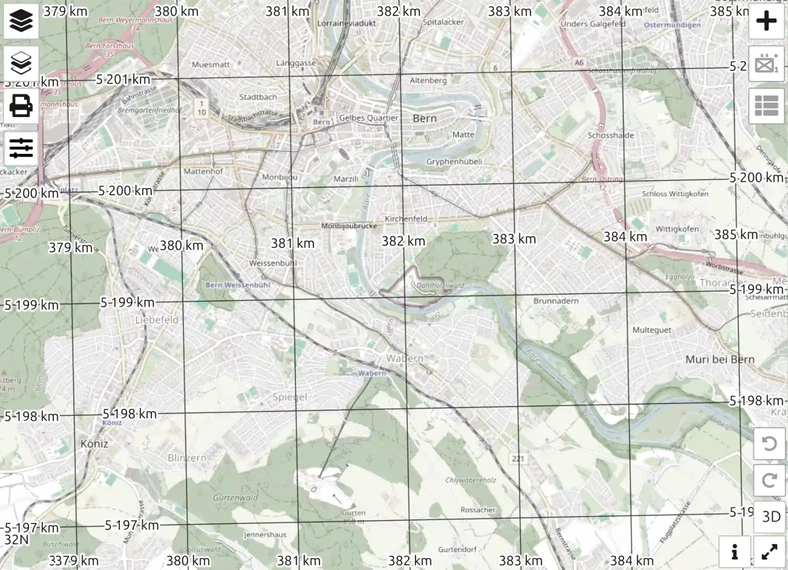
A coordinate grid is displayed as part of the map layer. The coordinate labels are displayed on the corner of the visible map extent:
WGS84
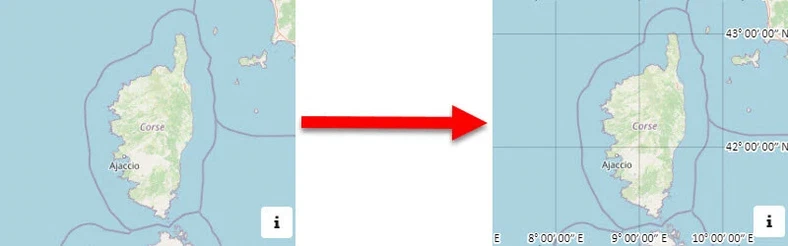
The World Geodetic System 1984 is a geodetic reference system as a uniform basis for position information on earth and in near-earth space.
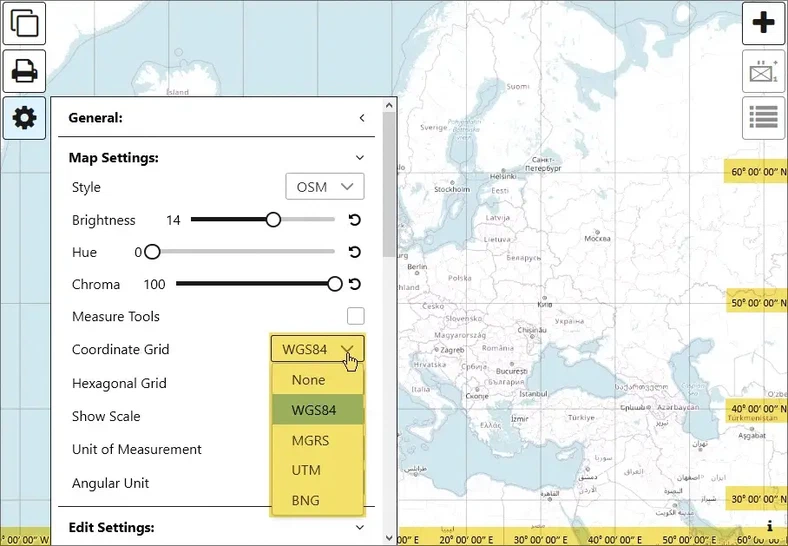
Follow these steps to set the World Geodetic System (WGS84) as the default Coordinate Grid:
- Open the Options Menu
- Go to Map Settings
- Choose WGS84 in the Coordinate Grid dropdown
MGRS
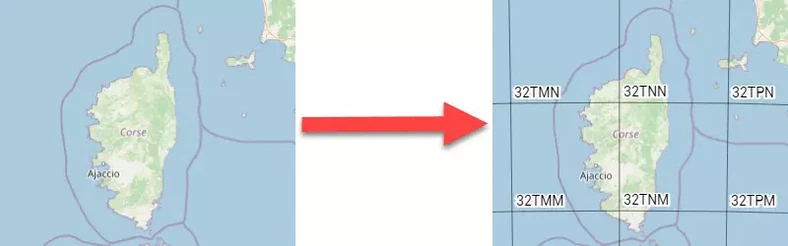
The Military Grid Reference System (MGRS) is the geocoordinate standard used by NATO militaries for locating points on Earth. The MGRS is derived from the Universal Transverse Mercator (UTM) grid system and the Universal Polar Stereographic (UPS) grid system, but uses a different labeling convention.
Follow these steps to set the Military Grid Reference System (MGRS) as the default Coordinate Grid:
- Open the Options Menu
- Go to Map Settings section
- Select MGRS in the Coordinate Grid dropdown
UTM
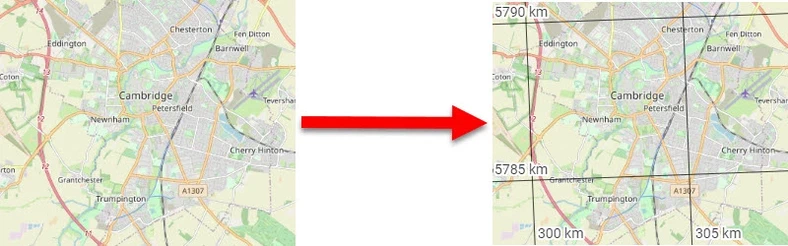
The UTM system is a global coordinate system. It divides the earth’s surface into 6 ° wide vertical zones, which are individually projected with the most favourable transverse Mercator projection and covered with a Cartesian coordinate system.
Follow these steps to set the Universal Transverse Mercator (UTM) as the default Coordinate Grid:
- Open the Options Menu
- Go to Map Settings
- Choose UTM in the Coordinate Grid dropdown
GARS
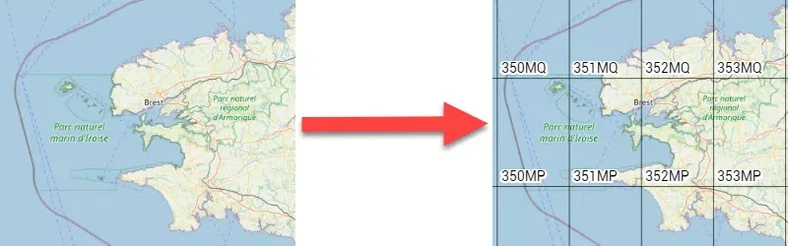
GARS divides the world into 30-minute by 30-minute cells, about 900 square nautical miles at the equator, diminishing in size at higher and lower latitudes. Each cell is subdivided into four 15-minute by 15-minute quadrants.
Follow these steps to set the Global Area Reference System (GARS) as the default Coordinate Grid:
- Open the Options Menu
- Go to Map Settings section
- Select GARS in the Coordinate Grid dropdown
BNG (GB)
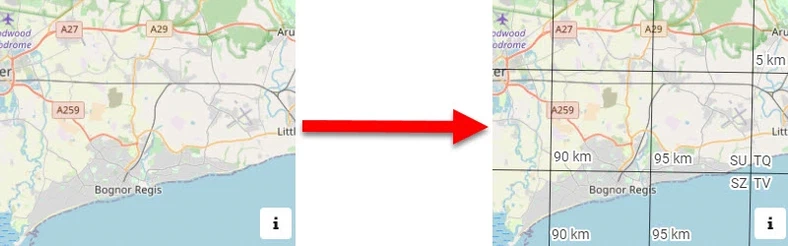
Ordnance Survey National Grid reference system (also known as British National Grid (BNG)) is a system of geographic grid references used in Great Britain, distinct from latitude and longitude. Follow these steps to set BNG as the default Coordinate Grid:
- Open the Options Menu
- Go to Map Settings
- Choose BNG in the Coordinate Grid dropdown
LV95 (CH)
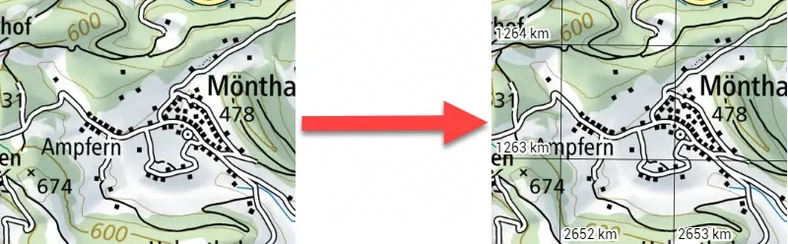
Swiss coordinate system LV95 (Landesvermessung 1995, German for “land survey 1995”) is a geographic coordinate system used in Switzerland and Liechtenstein for maps. The system is surveyed by the Swiss Federal Office of Topography (Swisstopo). Follow these steps to set LV95 as the default Coordinate Grid:
- Open the Options Menu
- Go to Map Settings
- Choose LV95 in the Coordinate Grid dropdown
LV03 (CH)
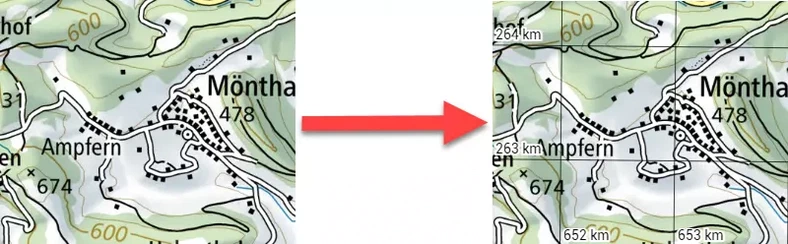
Old Swiss coordinate system LV03 (Landesvermessung 1903, German for “land survey 1903”) is a geographic coordinate system used in Switzerland and Liechtenstein. This is the coordinate grid typically shown on old Swiss maps. The system was surveyed by the Swiss Federal Office of Topography (Swisstopo). Follow these steps to set LV03 as the default Coordinate Grid:
- Open the Options Menu
- Go to Map Settings
- Choose LV03 in the Coordinate Grid dropdown
SLD99 (Sri Lanka)
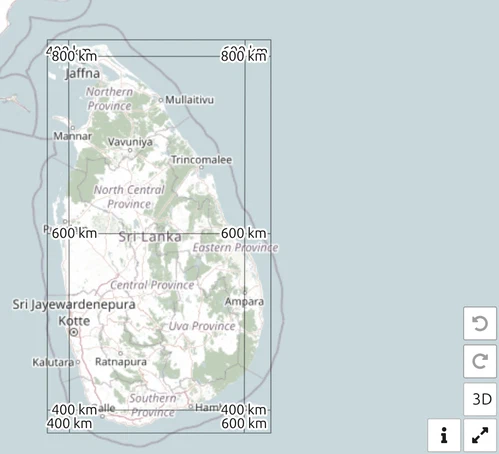
The Sri Lanka Datum 1999 grid, the national grid of Sri Lanka. Select it when working with Sri Lankan national mapping so your coordinates match the local sheets.
Kandawala
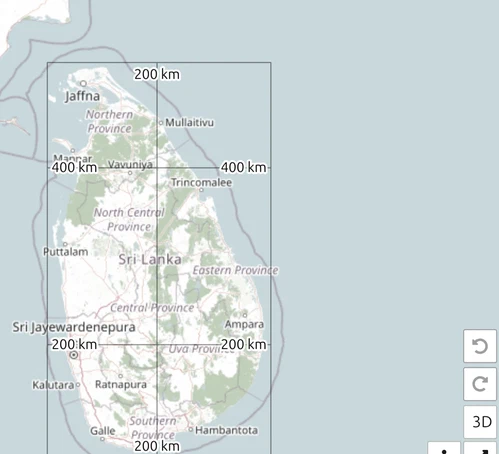
The older Kandawala datum, also Sri Lankan, still in use on legacy maps and records. Use it only when your source data is on Kandawala — mixing it with SLD99 puts positions tens of metres apart.
Hexagonal Grid
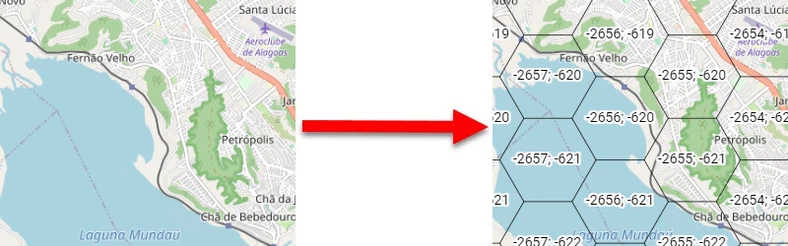
A grid of hexagonal tiles with a definable distance between the sides is displayed. The starting point of the grid is on the equator on the prime meridian. Follow these steps to set ‘Hexagonal Grid’ as the default Coordinate Grid:
- Open the Options Menu
- Go to Map Settings
- Choose Hexagonal Grid in the Coordinate Grid dropdown
The hexagons turn into rectangles when you zoom out
Zoom out far enough and the six-sided cells are replaced by a rectangular grid whose cells carry the same hex indices — the x; y reference of the hexagon that covers them. Nothing has switched off and no setting has been lost: the reference system still works, and a grid square you name while zoomed out is the hexagon you get when you zoom back in.
The switch is driven by the hex size you set, not by a fixed zoom level. Hexagons are drawn while the map is showing less than about twice your hex size per inch of screen, so at the default 10 km hex they appear from roughly zoom 9 and closer, and a 40 km hex keeps them on screen four times further out. The 3D view is about one zoom level stricter than the 2D map, so a scene that shows hexagons in 2D may still show rectangles in 3D.
This is the most frequent “the hex grid is broken” report we get, and it is the expected behaviour — if you want hexagons at a wider view, raise the hex size rather than zooming in.
What each grid does when you zoom out
Every grid thins itself out as the view widens — drawing a 1 km mesh across a continent would be a solid grey sheet. What differs is how each one thins, and GARS can stop drawing altogether. That is worth knowing before you conclude a grid is broken:
| Grid | Zoomed out far |
|---|---|
| UTM | Thins out; with the whole world in view only the vertical zone lines remain, without labels |
| GARS | Keypads to quadrants to cells, then draws nothing at all |
| MGRS | Coarsens through squares to grid-zone designators to zones — always draws something |
| BNG | Coarsens to squares, then big squares — always draws something |
| Hexagonal | Switches to rectangles labelled with the hex indices — see above |
| WGS84, LV95, LV03, SLD99, Kandawala | Pick a coarser round interval to suit the scale — always draw something |
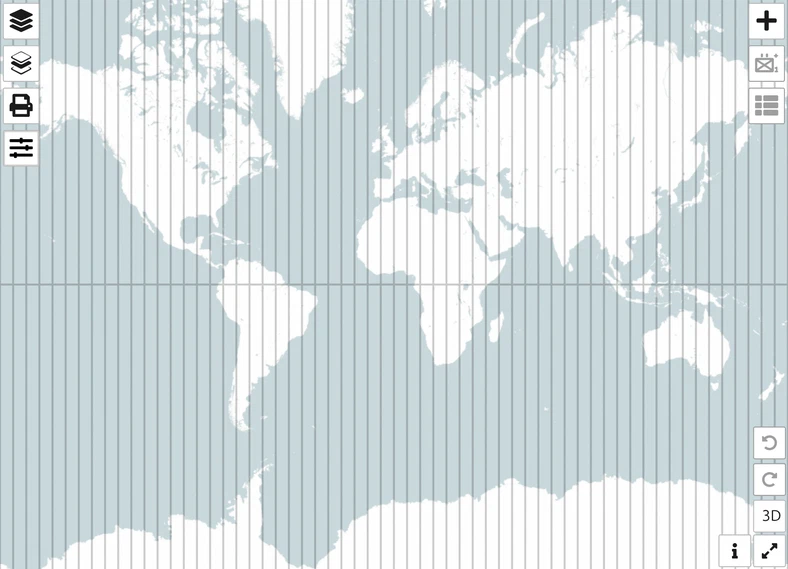
So if your grid has vanished entirely, you are most likely on GARS at a wide zoom. UTM, by contrast, keeps its vertical zone lines even with the whole world in view. Zoom in and it returns; nothing needs resetting.
Last updated: