On this page
Plan and Run a Military Exercise with map.army
If you plan an exercise, map.army gives you one map for the whole cycle, free to use in the browser: build the overlay, brief the participants, update the map while the exercise runs and look back at it afterwards. This page follows those phases and links to the page that does each step. It is written for the exercise planner, not for a map specialist.
How do I prepare the exercise map?
Build the overlay once and treat it as your common operational picture (COP), the one map everybody works from. Put each party on its own MilX® layer so you can show, hide and share them separately.
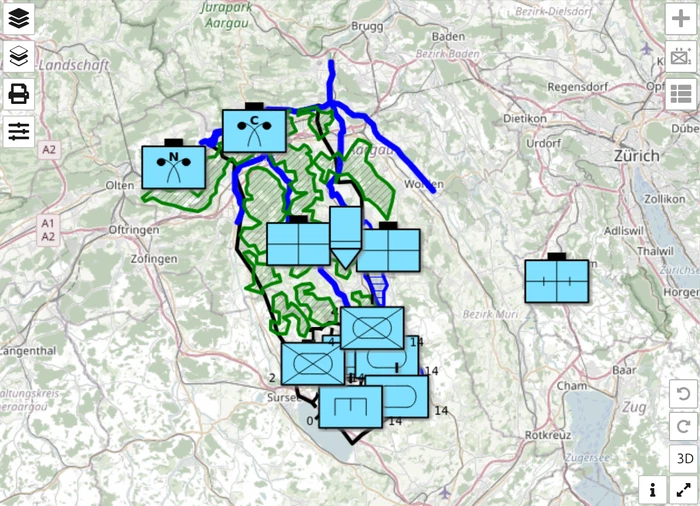
| You want to | Page |
|---|---|
| Work through a whole exercise map, from blank canvas to PDF | Plan an exercise |
| Draw boundaries, phase lines, axis of advance and objective | Draw an operation overlay |
| Find the tool for a military task | Task finder |
| Mark the danger area of a live-fire serial | SDZ builder |
How do I brief and distribute the exercise?
Send participants a share link, so they open the same map in their browser. Read Only is the safe choice for a briefing. For the order annex, export a scaled PDF, and for NATO command-and-control (C2) systems, export NVG.
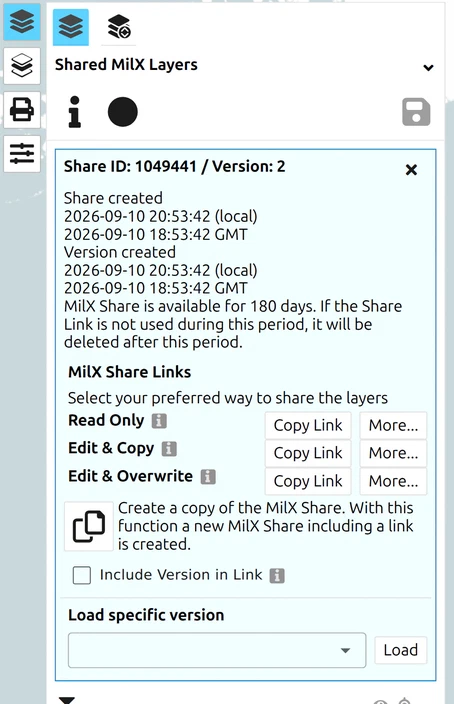
| For | Use | Page |
|---|---|---|
| Participants with a browser | a Share link | Share a map or COP |
| Paper or the order annex | a scaled PDF | Print a map to scale |
| NATO C2 systems | NVG export | NVG import and export |
How does EXCON update the map while the exercise runs?
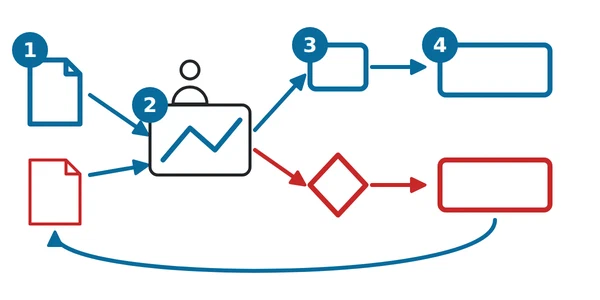
EXCON (Exercise Control, the staff who run the exercise) keeps a master map and passes each side only what it may see. map.army has no per-layer sharing yet, so the pattern is one share per side plus an umpire share, refreshed after each turn.
| You want to | Page |
|---|---|
| Run a two-sided exercise where each side sees only its own forces | Wargaming: two-sided setup |
| Let EXCON push updates and let players see that a new version exists | Share a map or COP |
How do I review the exercise afterwards?
For the after action review (AAR), the structured look back at what happened, open the versions of your share one by one. Every save keeps a version on the server, and you can load an earlier one. Export the state you want to discuss as a PDF, or keep it as a MilX file.
| You want to | Page |
|---|---|
| Open an earlier state of the exercise | How to load a specific share |
| Print or export the state for the review | Print a map to scale |
| Keep the finished exercise | Export a layer |
Questions
Is map.army free for exercise planning?
map.army is free to use in the browser. The MSS® engine behind it is a licensed product of gs-soft AG. There is nothing to install; it runs in any modern browser.
Can each side see only its own forces?
Yes, with one share per side plus an umpire share. It is a manual pattern, see Wargaming.
Does an earlier version get lost when EXCON saves again?
No. Each save adds a version and the earlier ones stay available, see How to load a specific share.
Can I give the overlay to a NATO C2 system?
Yes, as an NVG file; see NVG.
Last updated: