On this page
Wargaming with map.army — Two-Sided Kriegsspiel Setup
map.army can be used as an umpiring tool for two-sided wargames (Kriegsspiel-style exercises, tactical decision games, professional military exercises) where each side must see only its own forces. This page describes the working pattern with today’s share model.
Three-share pattern
Per-layer selective sharing — “share these specific layers with one recipient, those other layers with another” — is not yet a built-in feature. The supported workaround is to maintain three separate MilX shares:
| Share | Layers it contains | Given to |
|---|---|---|
| Blue share | Blue-side units, blue layers, neutral terrain | Blue commander(s) |
| Red share | Red-side units, red layers, neutral terrain | Red commander(s) |
| Umpire share | Everything — blue + red + umpire-only notes / layers | Umpire(s), held internally |
Each side opens only its own share and sees only its layers. The umpire works from the master share and pushes updates as the situation evolves.
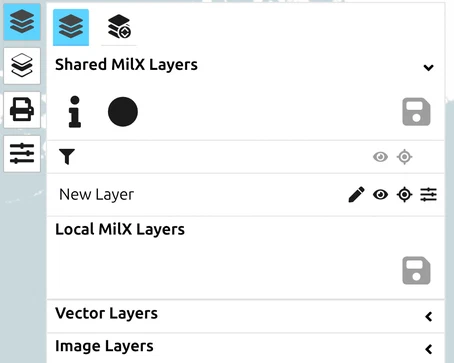
Recommended share types
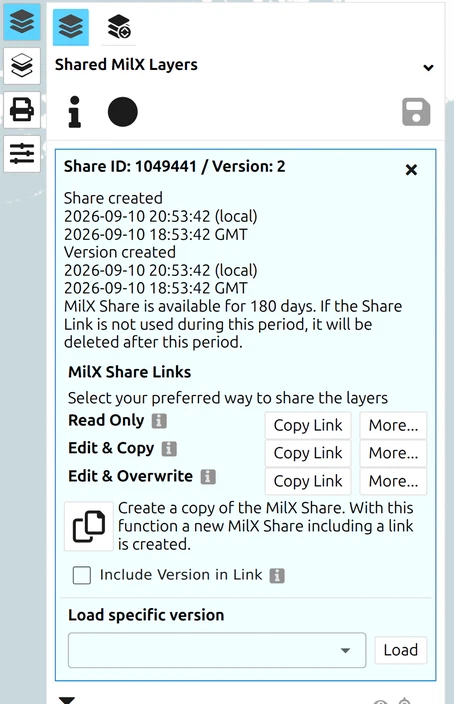
For most umpire-driven games, Read Only shares for the blue and red sides keep the players from accidentally moving each other’s symbols. The umpire works on Edit & Overwrite internally and re-pushes the player shares after each turn.
See How to create a share — Types of share for the three share modes (Read Only, Edit & Copy, Edit & Overwrite).
Operating cadence
A working turn cycle:
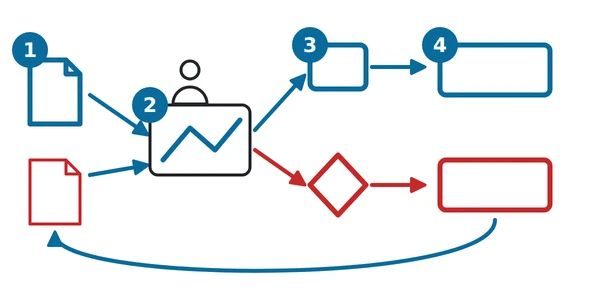
- Umpire receives both sides’ orders for the current turn (radio, chat, written orders — whatever the game uses).
- Umpire edits the master map: moves units, adds new spotted contacts, applies attrition, adds umpire notes / layers.
- Umpire updates the blue share with just the blue side’s view, then the red share with just the red side’s view (move layers in / out of each share via the Layer-Manager — see How to create a share — Add layers to your share).
- Players refresh their share to receive the new turn. If they have Track Changes enabled, the application notifies them automatically within ~10 minutes.
Known limitations
- The pattern above is manual — keeping three shares synchronised is the umpire’s overhead. There is no automation today for “split this master into per-side views”.
- A single user can hold multiple share links in different browser tabs but cannot easily compare views side-by-side beyond what windowing allows.
- Per-layer selective sharing is not available. If you need it, describe your scenario to gs-soft via the contact form.
Last updated: