On this page
Embed a Military Map in a Website with an iFrame
It is possible with the map.army web application to embed it in another website. You can implement your edited, saved version also. There are two ways for it. First is based on the URL sharing and second is on the File based way. We show you how to do it.
What an embedded map looks like
<iframe width="100%" height="315" src="https://www.map.army/" style="border:0" loading="lazy" referrerpolicy="no-referrer" allowfullscreen></iframe>
Build the iframe
Share URL
Follow these steps if you would generate an iframe html code from your share:
We have an article from: how to create a share.
First you have to click on the ‘Layers’ button.

After that one window will appear. You have to click on the ‘Share Military Map icon’.

After click to the green Create New MilX Share…’ button.

You have to choose which sharing types would you like to use. There are ‘Read Only’, ‘Edit & Copy’ and ‘Edit & Overwrite’ options.
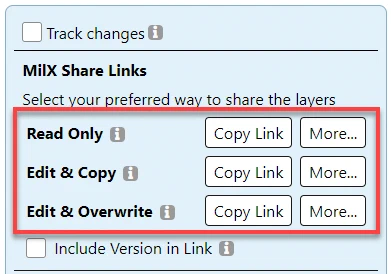
Click on your optional ‘More…’ button. It will show up many buttons.
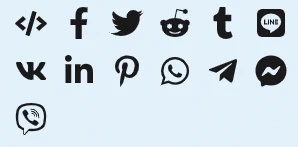
Click on the first icon. It is an iframe generator icon. It will generate an iframe code for you. The generated code will be at on your clipboard.

Paste this generated code into your website.
Example:
<iframe width="560" height="315" src="https://www.map.army/?ShareID=YOUR_SHARE_ID&UserType=YOUR_SHARE_TOKEN" style="border:0" loading="lazy" referrerpolicy="no-referrer" allowfullscreen>
</iframe>
File based
Follow the steps if you would create an iframe which is based on a file from your web server.
Go through on our article first: how to load a MilX-Layer using URL parameter. If it works well with your web server you can paste the link into an iframe. The steps are:
- Copy our example iframe html code and paste into your website.
<iframe width="100%" height="315" src="PASTE HERE" style="border:0" loading="lazy" referrerpolicy="no-referrer" allowfullscreen></iframe>
- Replace the
src="PASTE HERE"value with your own working URL.
Last updated: